Offline GPX Navigation
Open a GPX Track and OffTrail saves the map around it automatically. Follow your route offline on iPhone or Android. Free. No account required.
How offline GPX navigation works
GPS works without mobile data. OffTrail saves the map around your route while connected, then the map, your position and your Track keep working offline.
Import a GPX from your file manager, email, browser or share menu. OffTrail saves the surrounding map automatically. Whole-country downloads are optional in Maps.
What works offline
With the map saved around your Track, the map display, GPS position, off-track and wrong-way alerts, waypoints and automatic ride recording work offline. Saving maps and generating a new route need a connection.
The map saves itself
On Wi-Fi, OffTrail saves the map around your Track automatically. On mobile data it asks first. Without a connection, saving resumes when the network returns.
Optional whole-country downloads are available in Maps. You can refresh or delete them there.
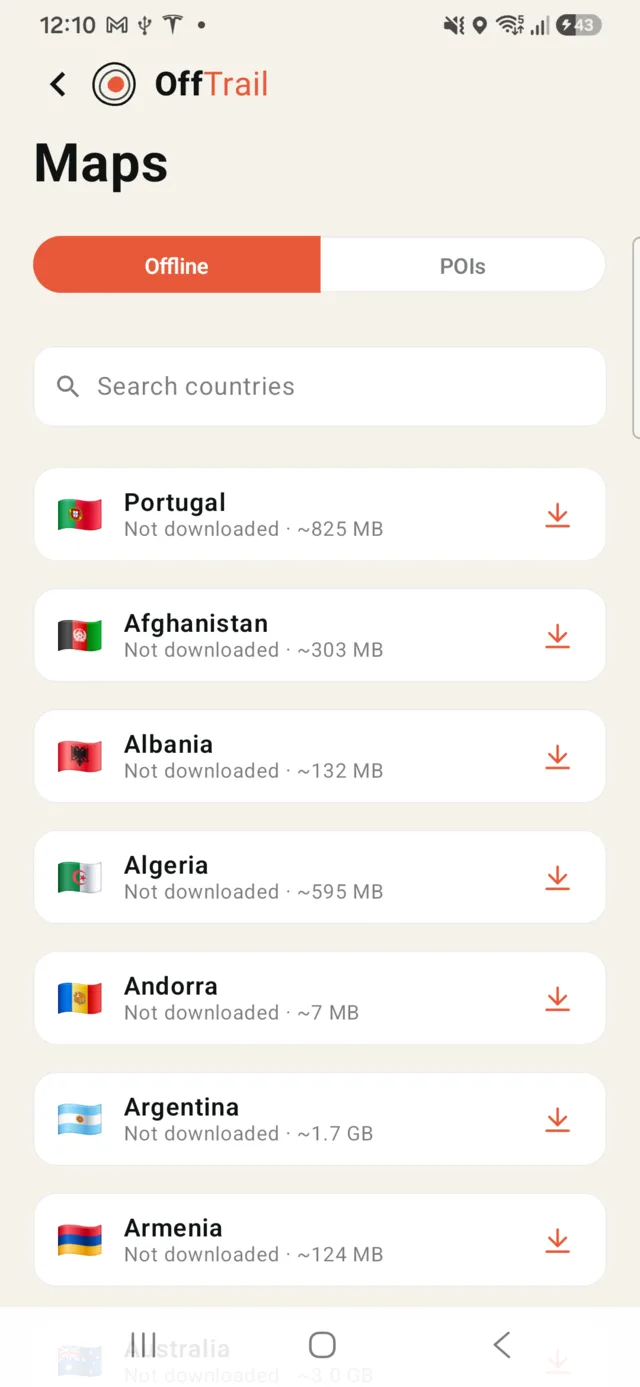
Whole-country offline maps
For a wider area, you can optionally download a whole country as a single package. The largest countries are split into regions instead, so the United States comes state by state, and Canada, Germany, France, the UK, Italy and a handful of others by region. More than 100 countries are available. In countries where OffTrail has built its own map coverage — Portugal, Spain, the USA state-by-state, Australia, Russia and a growing list — the maps carry a dense off-road trail network; everywhere else a worldwide base map is used, so there is always a map under you. An optional satellite layer is available too.
GPX in, GPX out
GPX is the exchange format for Tracks, and OffTrail treats it as such: any standard GPX file can be imported, and every recorded ride is saved as a standard GPX file on your phone — share it by AirDrop on iPhone, or any share target on Android — file manager, email, chat. Nothing is locked into the app.
Where offline navigation matters most
Adventure motorcycle travel through areas with weak coverage (see motorcycle GPX navigation), 4x4 and overland trips far from towns, remote trail networks, and international riding where roaming data is expensive or unavailable. If you would rather generate a route than import one, OffTrail's Off-Road Route Generation generates routes you can then follow offline. Read more about navigating a GPX without internet.
Get OffTrail free on the App Store or Google Play. Load a GPX Track, generate a route and ride.
Frequently asked questions
Does GPS work without internet?
Yes. GPS works without mobile data. OffTrail saves the map around your route automatically while connected.
Can I navigate a GPX file in airplane mode?
Yes. Once OffTrail has saved the map around your imported GPX Track, navigation, off-track alerts and ride recording work in airplane mode.
Does the satellite layer work offline?
No. Satellite imagery streams and cannot be stored on the phone — it is online-only by design. The vector map with the off-road trail network is the one that works with no coverage, on the phone and on the car screen.
Do I need an OffTrail account?
No account needed. Your Tracks stay on your phone. Turn on Sync and they're copied to your other device through OffTrail.
How do I download maps?
OffTrail saves the map around your route automatically. For a wider area, you can optionally download a country or region in Maps.
Can I record rides offline?
Yes. Ride recording is local and automatic — it starts when you ride and saves the trip as a GPX file on your phone, coverage or not.
Can I export my recorded GPX?
Yes. Recordings are standard GPX files — share them via AirDrop, the file manager, email or any share target.