How to Open a GPX File on iPhone
Opening a GPX and following a GPX are two different things. iOS will happily show you the file — the part people get stuck on is handing it to an app that draws the Track on a map and keeps you on it. Here is the whole sequence, and what to do when the app you want isn't in the share sheet.
The short answer
iPhone has no built-in GPX viewer. A .gpx is just a text file describing a path, so tapping it in Files shows markup, not a map. To see the track you open the file with a navigation app — that app has to be installed first, because iOS only offers apps that already declared they can read GPX.
Step 1 — Get the file onto the iPhone
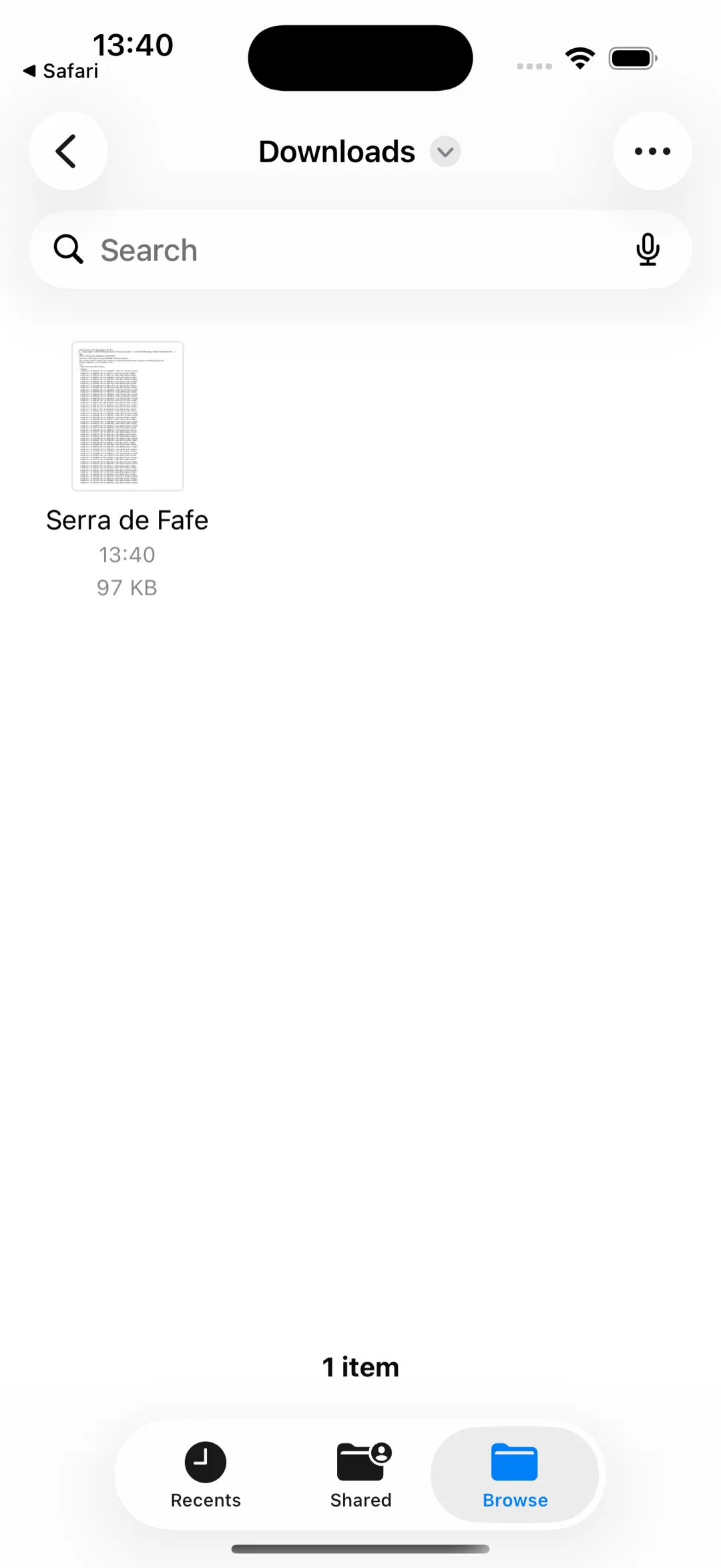
From Safari: the download lands in Files → Downloads (tap the download arrow in Safari to jump straight to it).
From Mail or Messages: tap and hold the attachment, then Save to Files — saving first is worth the extra tap, see below.
From a Mac or another iPhone: AirDrop it. iOS asks which app should open it as it arrives.
From iCloud Drive, Dropbox or Google Drive: it is already in Files, under that provider.
Step 2 — Open it with a navigation app
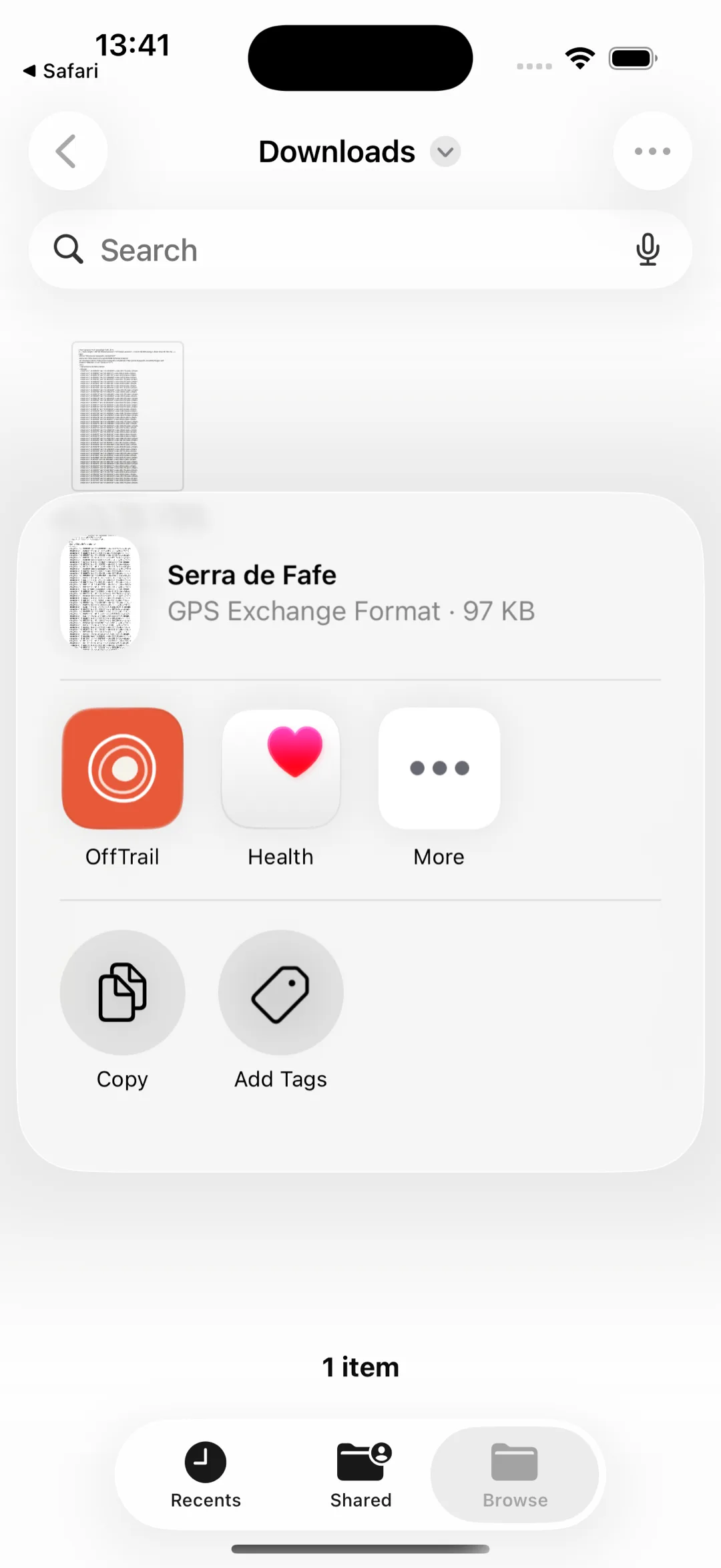
In Files, tap the .gpx and pick the app, or tap Share and choose it from the app row. In OffTrail the Track is imported straight away, drawn on the map in its own colour, and kept in your library — up to five Tracks at a time.
If the app isn't in the share sheet
Three causes, in the order they actually happen:
The app row is cut off. iOS shows a few icons and hides the rest behind More. Scroll the row right first.
The file was shared without a name or type. A chat app or a browser can hand over an untyped blob, and iOS then has no idea it is a GPX. Save to Files first, then open it from Files, where it has a real .gpx name.
The app isn't installed yet. iOS only lists apps that declare GPX support, so install the navigation app before you go looking for it in the share sheet.
Why Apple Maps isn't the answer
Apple Maps doesn't import GPX files. It is built to route you between places it knows, which is the opposite of what a GPX is for: a GPX is a path someone already chose, turn by turn, often down Tracks that no routing engine would pick. Following it needs an app that treats the line as the master and tells you when you leave it — not one that recalculates a "better" way round.
Following the Track, with or without coverage
Once the GPX is in OffTrail, riding it is the normal flow: the map turns course-up, your position sits on the line, and you get an Off Track warning with the distance back and a dashed connector when you drift off — plus a Wrong way warning if you are riding it backwards. The ride records itself.
It also calls the next bend — which way, how sharp, and how far — on screen and out loud, on a Track you imported as much as on a route it generated. What it doesn't say is street names: the turns come from the shape of the line, not from a road database.
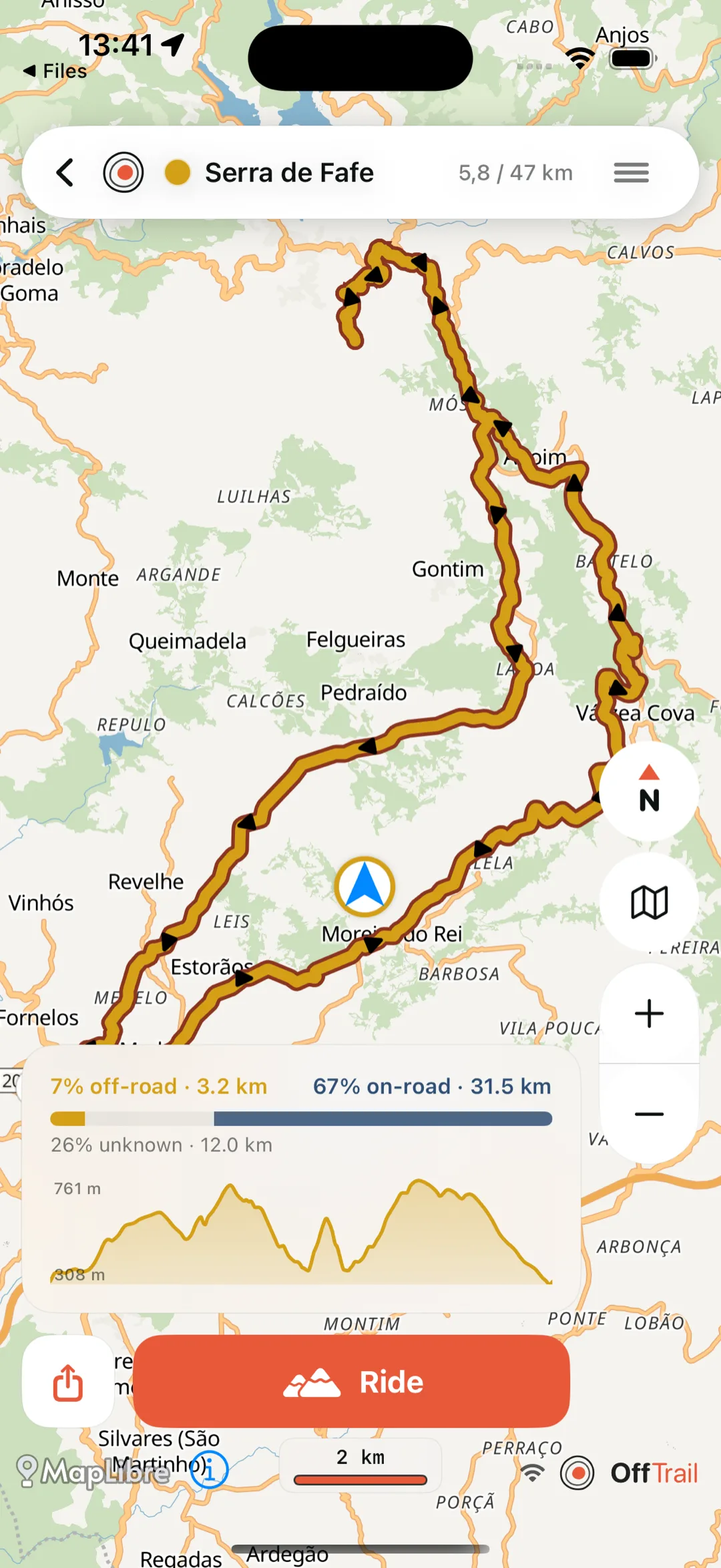
If the route goes where the signal doesn't, download the country's offline map before leaving: the map, the Track, your position, the alerts and the recording all keep working in airplane mode. See offline GPX navigation for the exact list, or navigating without internet for the preparation checklist. In the car the same Track shows up on Apple CarPlay; the step-by-step is in using a GPX with CarPlay. Downloading Tracks from Wikiloc has its own guide.
OffTrail is free on the App Store. No account.
Frequently asked questions
Can iPhone open a GPX file without an app?
Not as a map. iOS has no built-in GPX viewer, so tapping the file only shows its contents as text. You need a navigation app that reads GPX installed first.
Can I import a GPX into Apple Maps?
No. Apple Maps has no GPX import. It routes between places rather than following a track you bring, which is a different job.
Why doesn't my GPX app show in the iPhone share sheet?
Either the app row is cut off — check behind More — or the file arrived without a proper .gpx name and type. Save it to Files first, then open it from there.
Can I use AirDrop to import a GPX?
Yes. AirDrop the file from a Mac or another iPhone and pick the navigation app when iOS asks what should open it.
Can I follow a GPX in airplane mode?
Yes, if the Track and the maps are already on the phone and Location Services stays on. GPS itself needs no mobile data.
How many GPX Tracks can OffTrail show at once?
Up to five, each in its own colour.